Disclosure: As an Amazon Associate, KeenSift earns from qualifying purchases. Our links never affect our picks or the price you pay.
The short answer
The Keychron Q1 Pro is our best overall mechanical keyboard for 2026, pairing an aluminum gasket-mounted body with hot-swappable QMK/VIA customization and wireless or wired use. For competitive gaming we recommend the SteelSeries Apex Pro TKL Gen 3, and for portability the low-profile NuPhy Air75 V2.
If you want one mechanical keyboard that does almost everything well, the Keychron Q1 Pro is our top overall pick. Its CNC-machined aluminum body, double-gasket mount, and hot-swappable QMK/VIA board deliver a premium typing feel and near-limitless remapping, plus Bluetooth and wired connectivity that works with both Mac and Windows. But "best" depends heavily on what you're doing. Competitive gamers will care more about the magnetic, adjustable-actuation switches on the SteelSeries Apex Pro TKL Gen 3; laptop users and minimalists may prefer the slim NuPhy Air75 V2; and modders who love tinkering will gravitate to the Glorious GMMK 3 PRO. This guide splits our six recommendations by intent — gaming, typing and office, and custom builds — and translates the jargon (switch types, layout sizes, hot-swap sockets, gasket mount) into plain English, so you can match a board to how you actually type, game, and work rather than to a spec sheet.
Ranked, best first
Our Top Picks
1
KeychronBest Overall
Keychron Q1 Pro QMK/VIA Wireless Custom Mechanical Keyboard
The most versatile premium pick — enthusiast-grade aluminum build and hot-swap flexibility in a wireless 75% board that suits serious typists and tinkerers alike.
Layout
75% compact
Case
Full CNC aluminum, double-gasket mount
PCB
Hot-swappable (3-pin/5-pin MX)
Firmware
QMK/VIA programmable
Connectivity
Bluetooth 5.1, wired USB-C
Keycaps
Double-shot PBT
Battery
4000 mAh
What we like
Full CNC aluminum case with a double-gasket mount gives a premium, cushioned typing feel straight out of the box
Hot-swappable PCB accepts almost any 3-pin or 5-pin MX switch with no soldering, so you can retune the feel anytime
QMK/VIA firmware allows deep key remapping and macros and switches cleanly between Mac and Windows layouts
Worth noting
Heavy (~1.6 kg) — built to live on a desk, not to travel
Bluetooth polling is lower than wired, so competitive gamers should use the cable
Its OmniPoint 3.0 magnetic switches let you set how far a key travels before firing and enable rapid trigger for faster repeat inputs, while the tenkeyless layout leaves extra room for wide mouse swings in fast shooters.
Best for portability and low-profile typing
NuPhy Air75 V2
A slim low-profile 75% board with a laptop-like key feel, hot-swap sockets, and Bluetooth, 2.4GHz, and wired USB-C connectivity, making it easy to slip in a bag and pair with multiple devices.
Best for custom builders and tinkerers
Glorious GMMK 3 PRO
Its modular gasket system, aluminum body, hot-swap MX sockets, and sound-dampening foam let you tune the typing feel from firm to flexible and keep upgrading the board over time, all without soldering it together from parts.
Find your match
Which mechanical keyboard should you actually buy?
Start with what you do most. If you mainly type and want one premium board that does nearly everything, the Keychron Q1 Pro is the pick — aluminum, gasket-mounted, hot-swappable, and wireless or wired. If you play competitive shooters, the SteelSeries Apex Pro TKL Gen 3 and its adjustable magnetic switches are the fastest option here, or the Logitech G PRO X TKL LIGHTSPEED if you specifically want proven low-latency wireless for esports. If you move around, the low-profile NuPhy Air75 V2 slips into a bag without giving up mechanical feel. On a tighter budget, the Keychron V6 delivers genuine hot-swap and QMK/VIA in a full-size board for well under premium pricing. And if you love tinkering, the modular Glorious GMMK 3 PRO is built to be tuned and upgraded.
There is no single 'best' keyboard — switch feel and typing sound are subjective, and the right board is mostly decided by whether you game, type all day, or travel, plus how much you want to spend. These picks are chosen from manufacturer specifications and reputable expert reviews, not our own lab tests, and KeenSift earns a commission if you buy through our Amazon links.
How we picked
How to Choose the Best mechanical keyboards
01
Start with switch feel, not brand. Linear switches (Reds) glide straight down and stay quiet, tactile switches (Browns) give a bump you can feel, and clicky switches add an audible click on top of that bump. Gateron and Cherry are the two most common makers and both are reliable, so choose by feel. If you're unsure, a hot-swappable board lets you swap types later without buying a new keyboard.
02
Pick a layout size that matches your desk and workflow. Full-size (100%) keeps a number pad for spreadsheets; TKL (tenkeyless) removes it to free up mouse space for gaming; 75% keeps the function row in a compact body; and 65% or 60% shrink further for minimal desks. The smaller you go, the more keys hide behind function-layer shortcuts.
03
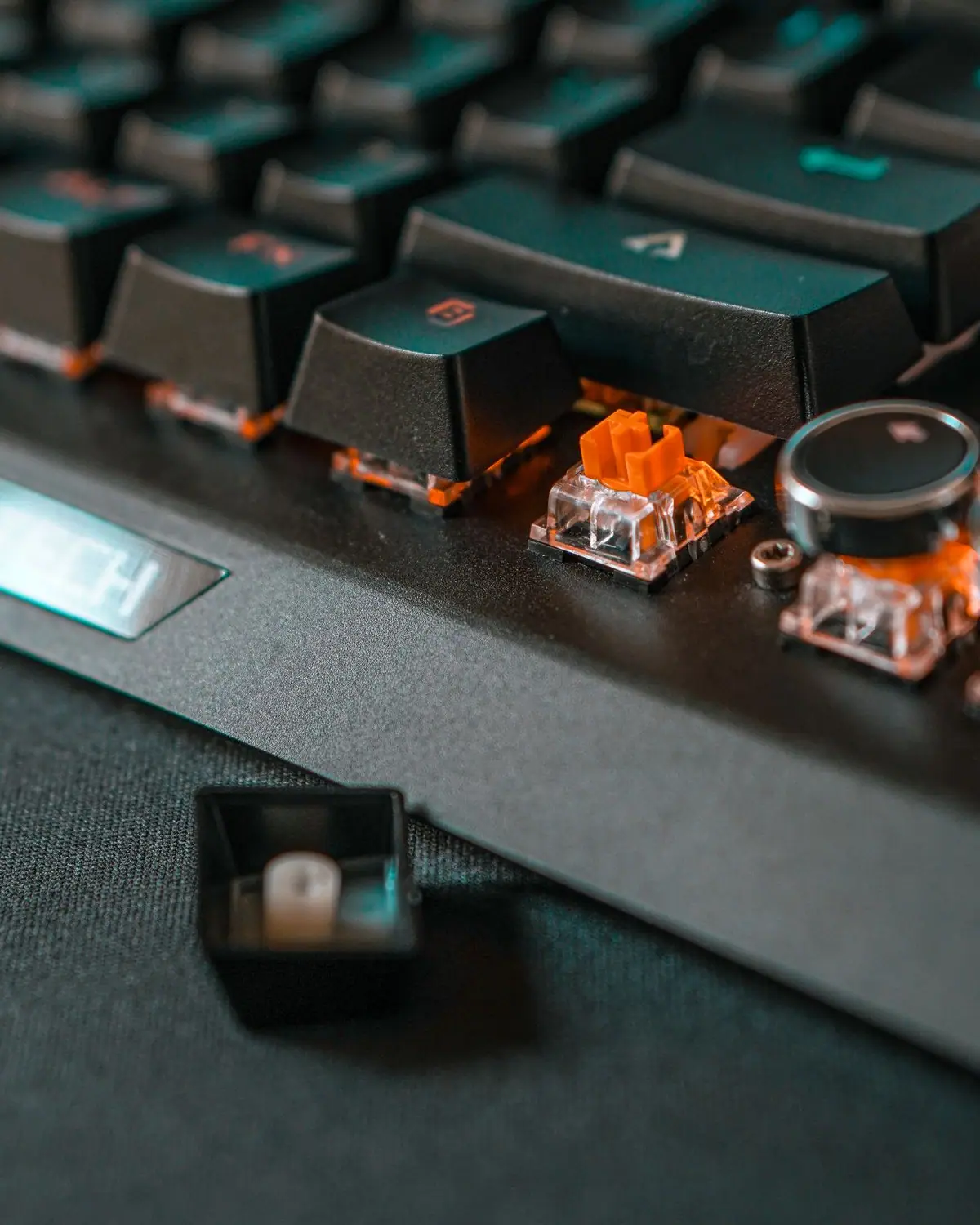
Prioritize hot-swap sockets if you like keeping your options open. A hot-swappable PCB lets you pull and replace switches by hand with no soldering, so you can experiment with feel or fix a dead key in seconds. It's one of the most future-proofing features on a board and is standard on the Keychron Q1 Pro, Keychron V6, and Glorious GMMK 3 PRO.
04
Decide wired vs wireless honestly. For competitive gaming, a wired connection or a low-latency 2.4GHz dongle is ideal. Bluetooth is great for switching between a laptop, tablet, and phone but adds latency. Many boards, like the Keychron Q1 Pro and NuPhy Air75 V2, give you wireless plus a wired USB-C fallback for whenever you want the lowest latency.
05
Weigh the build: aluminum and gasket mount vs plastic. A CNC aluminum case with a gasket mount (where the internals rest on soft gaskets) usually gives a softer, quieter, more premium typing feel, as on the Keychron Q1 Pro and Glorious GMMK 3 PRO. Plastic boards like the Keychron V6 cost less and weigh less while still typing well.
06
Check the keycap material. PBT keycaps resist the shine and greasy look that develops over years of use and tend to have a slightly textured feel; ABS is cheaper but can go glossy. Most boards in this guide ship with PBT, which is worth having if you type all day.
07
Look for QMK/VIA if you want deep remapping. QMK firmware paired with the VIA app lets you remap any key, build macros, and program layers visually with no coding. It's a standout on the Keychron Q1 Pro and Keychron V6, and NuPhy provides official QMK firmware plus a VIA configuration file for the Air75 V2. Dedicated gaming boards often use their own software instead of QMK.
08
For gaming, mind actuation and polling rate. Magnetic switches, such as the OmniPoint 3.0 in the SteelSeries Apex Pro TKL Gen 3, let you tune how far a key travels before it registers and enable rapid trigger for faster repeated inputs. A high polling rate (1000Hz or more) keeps inputs responsive. Expect to pay a premium for these features.
Editor's Note — how we research
These picks are drawn from manufacturer specifications and the consensus of reputable review outlets (RTINGS, Tom's Hardware, CNN Underscored), not from our own lab measurements. A few things are worth flagging. First, 'gasket mount' and 'aluminum' are not automatic wins — they usually make a board feel softer and sound deeper, but plate material, foam, and keycaps matter just as much, which is why a plastic Keychron V6 can still type well. Second, magnetic (Hall-effect) switches like the OmniPoint 3.0 are excellent for gaming but are not cross-compatible with standard MX switches, so a magnetic board locks you into that switch feel even if the actuation is technically 'adjustable.' Third, wireless is not one thing: a low-latency 2.4GHz dongle (Logitech LIGHTSPEED, NuPhy's 2.4GHz mode) is fine for gaming, while Bluetooth adds latency and is better kept for multi-device typing. Finally, QMK/VIA support varies in how it's delivered — Keychron ships it natively, while NuPhy provides official QMK firmware and a VIA configuration file you load yourself.
Our Take
“If we had to hand one keyboard to the most people, it's the Keychron Q1 Pro. It's the rare board that satisfies both the person who just wants a premium typing experience out of the box and the tinkerer who will swap switches and remap every key — aluminum build, double-gasket feel, hot-swap PCB, QMK/VIA, and wireless with a wired fallback. It's heavy and it's not the choice for a competitive FPS player, and that's exactly why this guide splits by intent: a gamer should buy the SteelSeries Apex Pro TKL Gen 3, a traveler the NuPhy Air75 V2, and a budget buyer the Keychron V6. 'Best overall' and 'best for you' are rarely the same board.”
Honorable Mentions
Keychron Q5 Max— A 96% aluminum QMK/VIA board with tri-mode wireless — essentially a fuller-layout, wireless-capable sibling to our top pick for anyone who wants a numpad without going full 100%.Search Amazon
Asus ROG Strix Scope II 96 Wireless— A 96% gaming keyboard that keeps a numpad while staying compact, with tri-mode wireless — a solid gaming alternative if you refuse to give up the number pad.Search Amazon
Frequently Asked Questions
What is the best mechanical keyboard in 2026?
For most people the Keychron Q1 Pro is the best all-round choice, thanks to its aluminum gasket-mounted build, hot-swappable QMK/VIA board, and wireless-or-wired use. Competitive gamers are better served by the SteelSeries Apex Pro TKL Gen 3 with its adjustable magnetic switches, and anyone who needs portability should look at the low-profile NuPhy Air75 V2.
What's the difference between linear, tactile, and clicky switches?
Linear switches (like most Reds) press straight down with no bump and stay quiet; tactile switches (like most Browns) give a small bump partway down so you can feel the keypress; clicky switches (like most Blues) add an audible click on top of that bump. Feel is personal, so a hot-swappable board that lets you swap switch types is the safest first purchase if you're unsure.
Is a hot-swappable keyboard worth it?
If you're new to mechanical keyboards or like the idea of changing how your board feels later, yes. A hot-swappable PCB lets you pull and replace switches by hand with no soldering, so you can try different switch types or fix a dead key in seconds. The Keychron Q1 Pro, Keychron V6, and Glorious GMMK 3 PRO all support it.
Are mechanical keyboards good for gaming?
Yes, and dedicated gaming models add features that matter for competitive play. Magnetic switches like the OmniPoint 3.0 in the SteelSeries Apex Pro TKL Gen 3 let you tune actuation depth and enable rapid trigger for faster repeated inputs, while low-latency wired or 2.4GHz wireless — as on the Logitech G PRO X TKL LIGHTSPEED — keeps response times tight.
What keyboard size should I choose?
Full-size (100%) keeps a number pad for spreadsheets and data entry; tenkeyless (TKL) drops the numpad to free up mouse room for gaming; 75% keeps the function row in a compact body; and 65%/60% shrink further for minimal desks by moving more keys onto function-layer shortcuts. Match the size to your desk space and how often you use the numpad and arrow keys.
Where our specs come from
Sources
The SteelSeries Apex Pro TKL Gen 3 uses OmniPoint 3.0 Hall-effect magnetic switches with per-key actuation adjustable from 0.1 mm to 4.0 mm, plus Rapid Trigger and an OLED smart display. SteelSeries — official product page
The Glorious GMMK 3 PRO Prebuilt has a full CNC aluminum body, a modular gasket system to tune keypress firmness, 5-pin MX hot-swap support, and sound-dampening foam. Glorious Gaming — official product page
The Keychron Q1 Pro is a 75% aluminum QMK/VIA custom keyboard with a double-gasket mount, hot-swappable PCB, Bluetooth wireless, and a 4000 mAh battery. Keychron — official product page
The Logitech G PRO X TKL LIGHTSPEED is a tenkeyless wireless gaming keyboard with LIGHTSPEED 2.4GHz wireless, PBT keycaps, and GX switches offered in linear, tactile, or clicky variants. Amazon.com — Logitech G PRO X TKL product listing
Affiliate disclosure: As an Amazon Associate, KeenSift earns from qualifying purchases made via links on this page. This does not affect our editorial recommendations or the price you pay.