Office · Buying Guide

Best Desk Lamps for Eye Strain: 6 Picks Ranked by the Specs That Matter

The BenQ e-Reading LED Desk Lamp is our best overall pick for one plain reason: it treats eye strain as an engineering problem, not a marketing line.

By Bikram Nath, Founder and CuratorUpdated 2026-07-166 products compared$30–$220
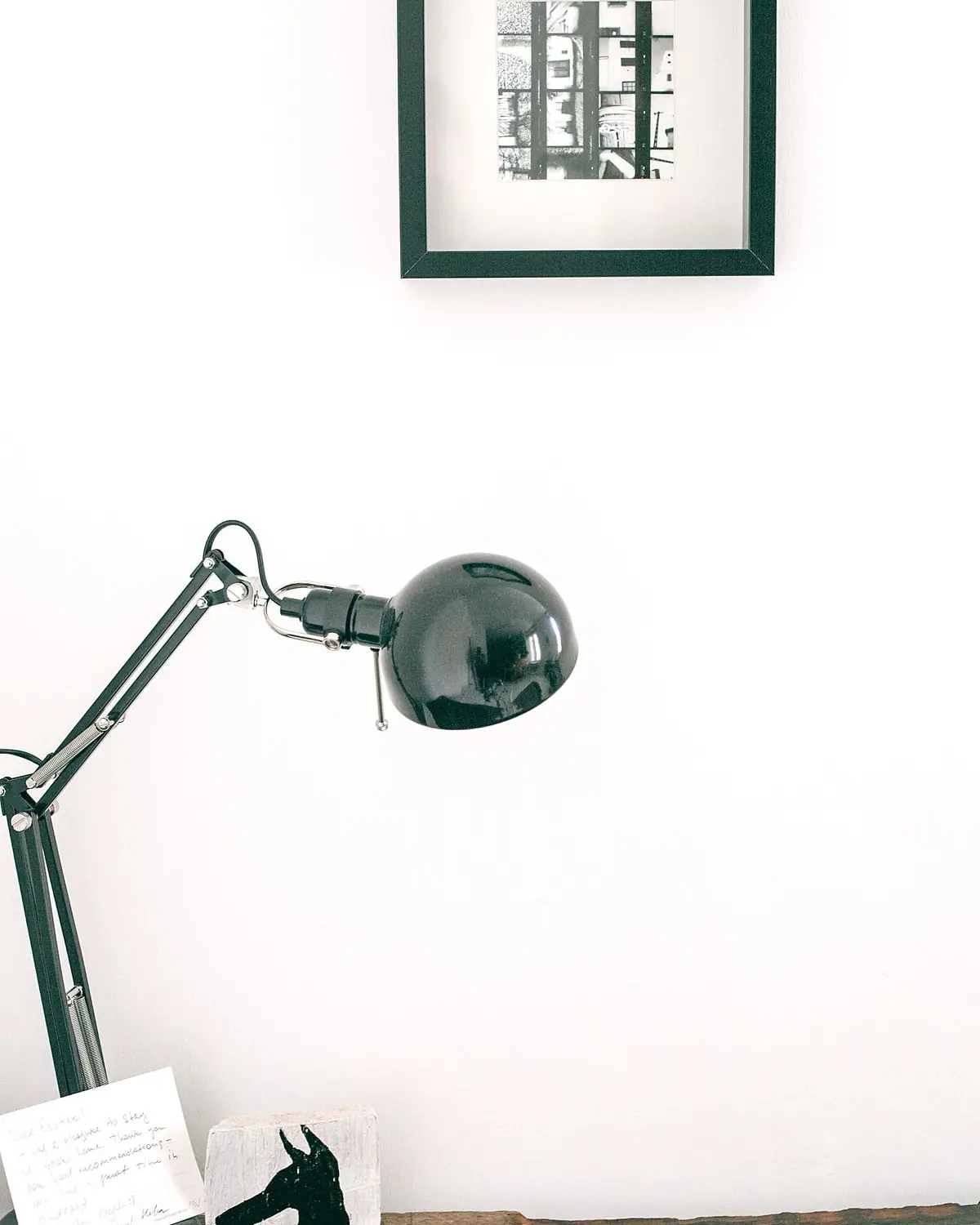
A modern black desk lamp on a wooden table

Disclosure: As an Amazon Associate, KeenSift earns from qualifying purchases. This guide contains Amazon affiliate links — they never affect our picks or the price you pay.

The BenQ e-Reading LED Desk Lamp is our best overall pick for one plain reason: it treats eye strain as an engineering problem, not a marketing line. It carries IEEE 1789 flicker-free certification, a CRI above 95, and an RG0 (no blue-light-hazard) rating, and its OVAL-Light optics spread a rated 500 lux across a roughly 35-inch-wide pool — far wider than the tight cone most lamps throw. A built-in sensor auto-dims to match your room, and a one-touch Screen Mode dips the center to cut monitor glare. Those are the specs that actually matter across a long workday, and most "best desk lamp" lists skip them entirely. Below we break down five more picks — a true budget option, a clamp-on architect arm, and monitor light bars for desks with no surface to spare — plus a plain-English guide to the question that trips everyone up: do you want a desk lamp or a monitor light bar? Often the honest answer is one of each.

The BenQ e-Reading LED Desk Lamp is the best desk lamp for most people: it is IEEE 1789 flicker-free, rated CRI 95+, RG0 blue-light-safe, and lights a wide 500-lux area with auto-dimming. For a budget pick under $40, the Lepro LED Desk Lamp (9.5W) covers the basics well.

The Winners at a Glance

Compare All 6 Picks

Side by side — tap any name to jump to the full review.

Tap a column to sort · scroll for more

Award
1BenQBenQ e-Reading LED Desk LampView on Amazon2700K–5700K (13 levels)Auto-dimming ambient sensor + touch dialAdjustable swing arm, weighted baseBest Overall
2BenQBenQ ScreenBar Halo LED Monitor Light BarView on Amazon2700K–6500KBest for Monitor Setups
3OttLiteOttLite ClearSun LED Desk Lamp with Wireless ChargingView on Amazon3 modesTouchFlexible gooseneckBest for Reading & Craft
4QuntisQuntis Computer Monitor Light BarView on Amazon3000K–6500KBest Budget Monitor Light Bar
5PhivePhive CL-1 Architect LED Desk LampView on AmazonTouch dimmingMetal swing arm, ~33 in total reachBest Clamp Lamp
6LeproLepro LED Desk Lamp (9.5W)View on Amazon3000K–6500K (5 modes)TouchBest Budget Under $40

Best for specific needs

Best desk lamps for every buyer

Best budget lamp under $40

Lepro LED Desk Lamp (9.5W)

Five color temperatures, five brightness levels, and a wide frosted head that softens glare — the essentials done well for the price. It doesn't publish the flicker or CRI data the premium picks do, so buy it for value, not for lab-grade eye-safety specs.

Best clamp-on for drafting and small desks

Phive CL-1 Architect LED Desk Lamp

A metal swing arm on a desk clamp reaches far over a drafting table or keyboard, folds out of the way, and remembers your last setting via memory function — ideal when you need light exactly where your hands are and no base eating desk space.

Best when your desk has no room to spare

BenQ ScreenBar Halo LED Monitor Light Bar

Clips to the top of your monitor for a zero desk footprint, with asymmetric optics that light the desk without bouncing glare back at the screen, plus a wireless control dial and a rear ambient backlight to soften screen-to-wall contrast.

How we picked

How to Choose the Best desk lamps

  1. Insist on flicker-free lighting. Cheap LED drivers pulse fast enough that you can't consciously see it, but your eyes still register it as low-grade strain. Look for the IEEE 1789 flicker-free standard — the BenQ e-Reading states this explicitly; many budget lamps stay silent on it, which usually means they were never certified.

  2. Check CRI and aim for 90+. Color Rendering Index measures how truthfully a light shows color, on a 0-100 scale. Below roughly 80, whites look dingy and fine detail flattens, so your eyes work harder. The BenQ e-Reading and OttLite ClearSun publish CRI 95+, which is what you want for reading and any color-critical task.

  3. Match brightness AND coverage to your desk, not just the lumen number. High lumens crammed into a narrow cone leaves dark edges and harsh contrast. Prioritize wide, even coverage — the BenQ e-Reading's OVAL-Light optics spread a rated 500 lux across a ~35-inch span, well beyond a typical spot lamp.

  4. Decide up front: desk lamp, monitor light bar, or both. A desk lamp lights the surface for paper tasks; a monitor light bar (BenQ ScreenBar Halo, Quntis) clips to the screen, saves desk space, and avoids reflecting glare into the display. See the decision table below — for many people the honest answer is one of each.

  5. Choose the right mount. A weighted base is stable and easy to reposition; a desk clamp (Phive CL-1) frees up surface area and lets a swing arm reach over a keyboard or drafting board. Rigid swing arms hold position better over years of adjustment, while gooseneck arms bend anywhere but can sag over time.

  6. Get adjustable color temperature. Use cool 5000K-6500K light for daytime focus and warm 2700K-3000K in the evening to ease fatigue and avoid disrupting sleep. Lamps like the OttLite ClearSun and Lepro offer multiple modes so a single fixture works morning to night.

  7. Weigh the convenience extras honestly. A USB port, a Qi wireless-charging base (OttLite ClearSun), or auto-dimming (BenQ e-Reading, Quntis) are genuinely useful, but don't let a feature list distract you from the flicker, CRI, and coverage fundamentals that actually protect your eyes.

Find your match

Desk Lamp vs Monitor Light Bar: Which Do You Need?

The question that trips up most buyers isn't which lamp — it's whether you want a lamp at all or a monitor light bar. Match your setup below.

Your situationBetter choicePick in this guide
You read paper, sketch, or do close handworkDesk lamp — pool of light on the surfaceBenQ e-Reading (overall) / Lepro (budget)
Almost all your work is on a monitor and desk space is tightMonitor light bar — zero desk footprint, no screen glareBenQ ScreenBar Halo / Quntis (budget)
You want color accuracy for craft, sewing, or artDaylight-spectrum desk lamp, CRI 95+OttLite ClearSun
You need light over a drafting table or keyboardClamp swing-arm lamp — frees the desktopPhive CL-1
You do both screen and paper workOne of each — light bar for the screen, small lamp for paperScreenBar Halo + Lepro

Editorial guidance based on manufacturer-published specifications and current product listings, not independent lab testing. Flicker, CRI, and lux figures are as stated by each maker; eye-strain benefits are manufacturer claims.

Ranked, best first

Our Top Picks

BenQBest Overall

BenQ e-Reading LED Desk Lamp

Color Temperature
2700K–5700K (13 levels)
CRI
Ra 95
Flicker
IEEE 1789 flicker-free certified
Coverage
Up to 35.4 in wide; 500–1000 lux
Controls
Auto-dimming ambient sensor + touch dial
Arm
Adjustable swing arm, weighted base

What we like

  • CRI Ra 95 plus IEEE 1789 flicker-free certification give it the strongest eye-strain credentials of any lamp here
  • Ultra-wide asymmetric optics light a 35-inch span evenly, avoiding the bright hotspot and harsh shadow of ordinary lamps
  • Ambient-light sensor auto-dims the lamp as room light changes, and it conforms to IEC blue-light-hazard standards

Worth noting

  • Premium price — several times the cost of a basic LED desk lamp
  • No USB charging port, so device charging needs a separate adapter
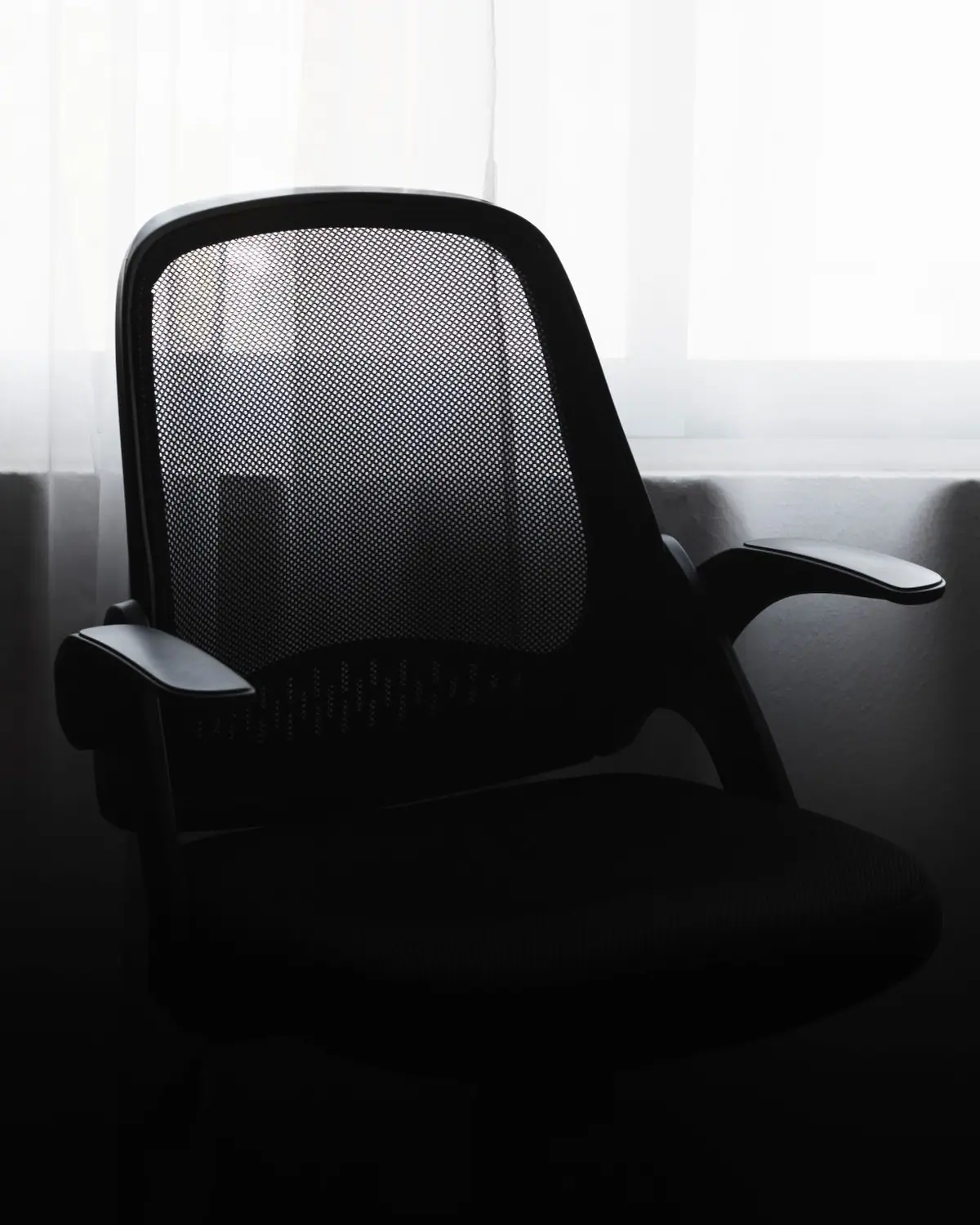
The most complete desk lamp for long reading and screen work, pairing certified flicker-free, high-CRI light with the widest and most even coverage in this guide.

BenQBest for Monitor Setups

BenQ ScreenBar Halo LED Monitor Light Bar

Mount
Clips to monitor top edge (flat or curved)
Color Temperature
2700K–6500K
Optics
Asymmetric — no screen glare
Control
Wireless dial controller; front + rear backlight
Power
USB (5V)

What we like

  • Asymmetric optics light the desk without casting reflections on the screen — the core problem no standalone lamp solves
  • Wireless dial adjusts brightness and color temperature without reaching over the monitor
  • Clamps on without tools or desk space and runs off a single USB port; LEDs are flicker-free and blue-light-hazard-free

Worth noting

  • Useless without a monitor to mount it on — not a standalone lamp
  • Among the priciest picks here for the amount of task light delivered

The best choice for monitor-centric desks, eliminating screen glare and freeing desk space while a rear backlight softens the contrast behind the display.

OttLiteBest for Reading & Craft

OttLite ClearSun LED Desk Lamp with Wireless Charging

Light
ClearSun daylight-spectrum LED
Color Temperature
3 modes
Charging
Qi wireless pad
Arm
Flexible gooseneck
Controls
Touch

What we like

  • Daylight-spectrum ClearSun LED renders colors naturally, which suits reading, sewing, and close craft detail
  • Built-in Qi wireless charging pad doubles as a phone dock and clears a cable off the desk
  • Flexible gooseneck aims light precisely, and OttLite is a long-established US task-lighting brand

Worth noting

  • OttLite does not publish an IEEE 1789 flicker rating, so its eyestrain-reduction claims are manufacturer-stated
  • Narrower, more focused pool of light than the wide-coverage BenQ lamps

The pick for readers and crafters who want warm-to-daylight color accuracy plus built-in wireless charging in a single desk footprint.

QuntisBest Budget Monitor Light Bar

Quntis Computer Monitor Light Bar

Mount
Weighted clip on monitor top edge
Color Temperature
3000K–6500K
Optics
Asymmetric — no screen glare
Control
Stepless dimming; touch or remote (by model)
Power
USB

What we like

  • Delivers the same glare-free, desk-only lighting concept as premium bars at a much lower price
  • Stepless brightness and color-temperature adjustment rather than a few fixed steps
  • USB-powered weighted clip fits flat and curved monitors without tools

Worth noting

  • Build quality and controller feel are a step below BenQ
  • Like any light bar, it needs a monitor and is not a standalone desk lamp

The best-value monitor light bar for anyone who wants glare-free screen lighting without paying BenQ prices.

PhiveBest Clamp Lamp

Phive CL-1 Architect LED Desk Lamp

Mount
Clamp (fits edge up to 2.36 in)
Arm
Metal swing arm, ~33 in total reach
CRI
Ra 85
Optics
Diffusion panel — no visible flicker or glare
Controls
Touch dimming

What we like

  • Long metal swing arm and clamp base free the entire desktop and reach across a large work area
  • Diffusion panel spreads soft, even light with no visible flicker or harsh glare
  • Sturdy all-metal build aimed at drafting, crafting, and workbench use

Worth noting

  • CRI Ra 85 is good but below the Ra 95 of the BenQ and daylight lamps for critical color work
  • Clamp needs a desk edge and light assembly, unlike a ready-to-use weighted-base lamp

The best clamp lamp here — a durable architect-style swing arm that keeps the desk surface clear while covering a wide work zone.

LeproBest Budget Under $40

Lepro LED Desk Lamp (9.5W)

Output
9.5W, up to 800 lumens
Color Temperature
3000K–6500K (5 modes)
Brightness
5 levels
Body
Metal, weighted base
Controls
Touch

What we like

  • Up to 800 lumens with 5 color modes and 5 brightness levels — strong output and control for the price
  • All-metal body and touch panel feel a notch above typical budget plastic lamps
  • Compact weighted base needs no clamp or assembly and stays put

Worth noting

  • This model has no USB charging port
  • CRI is not published, so it is not the pick for color-critical work

The best sub-$40 desk lamp, delivering full warm-to-daylight range and genuine brightness without the premium-lamp price.

Honorable Mentions

BenQ ScreenBar Halo 2The newer revision of our monitor-light-bar pick, adding a much lower minimum brightness and a motion sensor — worth it if you want the latest version and can pay more.View on Amazon
Quntis Monitor Light Bar PRO+A brighter Quntis bar (rated up to ~1200 lux) with a remote, better suited to curved or ultrawide monitors that need more output than the standard model.View on Amazon

Editor's Note — how we research

Every product here was confirmed as a currently listed item on Amazon US, with model names and specifications cross-checked against BenQ, OttLite, Quntis, Phive, and Lepro manufacturer or retailer pages. We did not independently measure lux, CRI, or flicker and ran no lab testing — the flicker-free (IEEE 1789), CRI, RG0/blue-light, and lux figures are manufacturer-stated, and eye-strain reduction is a manufacturer claim, not a tested result. CRI is published for the BenQ e-Reading (Ra 95), OttLite ClearSun (95+), and Phive CL-1 (Ra 85); the Lepro and the monitor light bars do not consistently publish a certified CRI, so treat their color-accuracy performance as unverified. Confirm current price, color-temperature range, and monitor fit on the retailer page before buying.

Our Take

The BenQ e-Reading LED Desk Lamp is the pick to beat: it's the only lamp here that publishes certified flicker-free (IEEE 1789) operation, Ra 95 color rendering, and RG0 blue-light safety together, and its wide 35-inch coverage removes the hotspot-and-shadow problem that makes ordinary lamps tiring. The catch is price and the missing USB port. If your day is spent on a monitor, don't buy a lamp at all — the BenQ ScreenBar Halo clips to the screen, kills glare, and frees the desk, and the Quntis bar does the same for less. For a genuine budget lamp, the Lepro covers the fundamentals under $40; just don't expect the certified eye-safety specs of the BenQ.

Frequently Asked Questions

Do desk lamps actually reduce eye strain?

Yes, but only the right ones. Eye strain at a desk is driven by glare, harsh contrast between a bright screen and dark surroundings, poor color rendering, and invisible LED flicker. A lamp that is flicker-free (IEEE 1789), rated CRI 90+, and bright enough to lift the whole desk to a comfortable level addresses all four. A cheap lamp that flickers or throws a narrow, uneven cone can actually make strain worse.

Do I need a desk lamp or a monitor light bar?

If you read paper, sketch, or do close handwork, get a desk lamp — it puts a pool of task light on the surface where your hands are. If your work is almost entirely on a monitor and desk space is tight, a monitor light bar (BenQ ScreenBar Halo, Quntis) is better: it clips to the screen, uses zero desk space, and its asymmetric optics light the desk without bouncing glare back at the display. Many people are best served by one of each — a light bar for the screen and a small lamp for paper.

What CRI and color temperature should a desk lamp have?

Aim for CRI 90 or higher so colors look accurate and your eyes don't strain to resolve detail — the BenQ e-Reading and OttLite ClearSun publish CRI 95+. For color temperature, choose an adjustable lamp: cool 5000K–6500K light supports daytime focus, while warm 2700K–3000K in the evening is easier on the eyes and less likely to disrupt sleep.

Are flicker-free desk lamps worth it?

Yes. Many inexpensive LED lamps pulse rapidly from a low-quality driver; you can't consciously see it, but the flicker can contribute to headaches and eye fatigue over a long session. Look for a lamp that states IEEE 1789 flicker-free compliance, like the BenQ e-Reading — manufacturers that never mention flicker usually haven't been certified for it.

Where our specs come from

Sources

  • The BenQ e-Reading desk lamp is rated CRI Ra > 95, uses IEEE 1789 flicker-free non-flicker drivers, and provides at least 500 lux across a 35.4-inch-wide coverage area. BenQ — e-Reading Desk Lamp (official)
  • The BenQ ScreenBar Halo uses asymmetric optics to light the desk without reflecting glare on the screen, is USB-powered with a wireless controller and a front/back light, and conforms to IEC/TR 62778 and IEC/EN 62471 blue-light standards with a non-flicker driver. BenQ — ScreenBar Halo (official)
  • OttLite ClearSun LED technology is rated CRI 95+ and is designed to match the daylight spectrum, which OttLite states reduces eyestrain by up to 51%. OttLite — ClearSun LED Technology (official)
Affiliate disclosure: As an Amazon Associate, KeenSift earns from qualifying purchases made via links on this page. This does not affect our editorial recommendations or the price you pay.

Further Reading

Compare Products in Office

Keep reading

You might also like

Keep reading

Popular buying guides